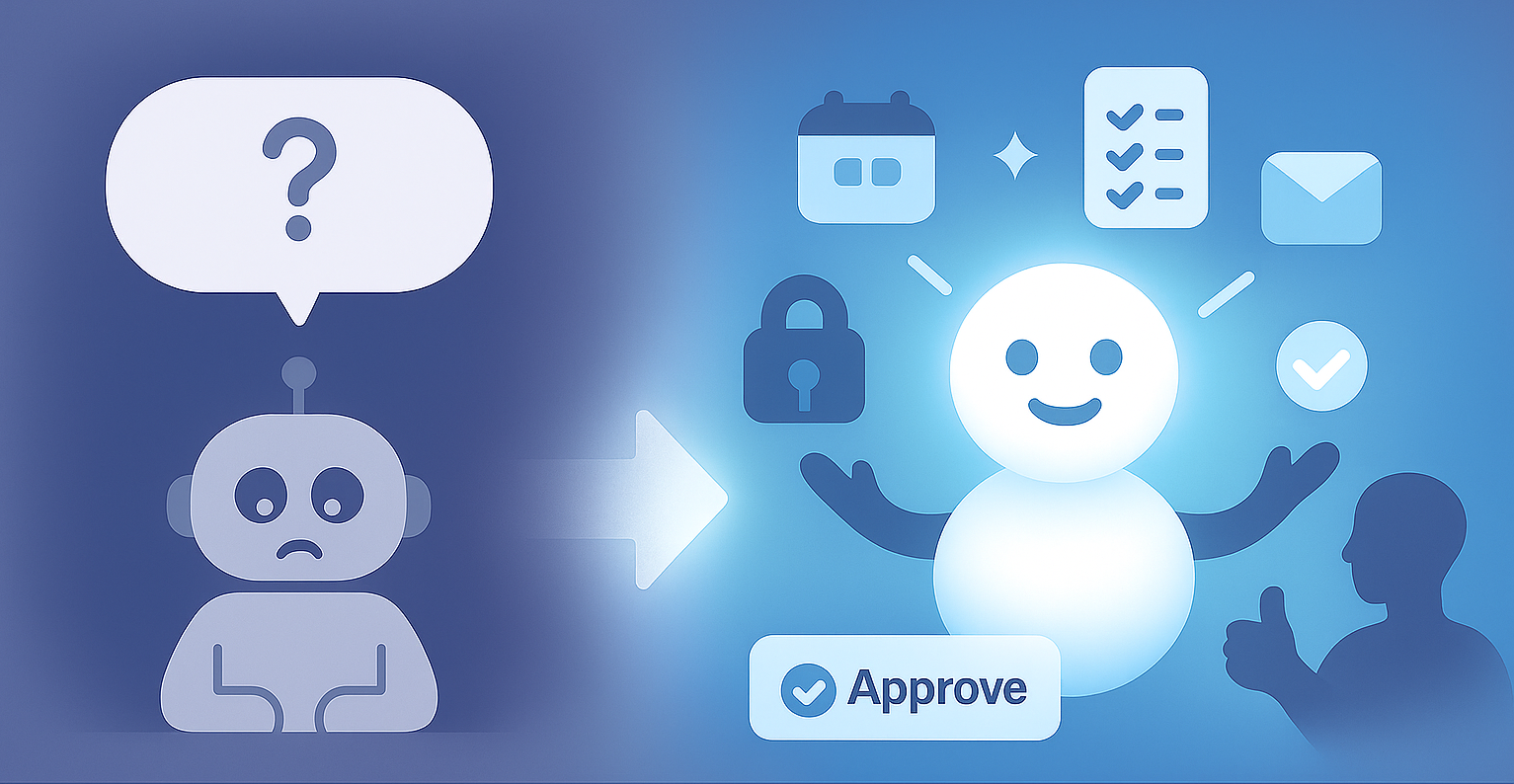
AI is powerful — but it’ll never get everything right. Every result carries a bit of uncertainty, because these models run on probabilities, not guarantees. That’s why it’s so important for users to feel in control when something isn’t perfect. They should be able to understand what happened, adjust it quickly, or fix it themselves. If they can’t, trust drops fast.
And that’s where editability matters. The true mark of a great AI tool isn’t how “smart” it looks on the surface — it’s how editable it feels in real use. Editability isn’t just a UX feature; it’s a design philosophy. It turns AI from something opaque into something collaborative — a tool you shape, not one you quietly work around.
A Real Example: Building for Editability in Action
Recently, I’ve been building a feature that turns tutorial videos into well‑structured documents — complete with text, screenshots, and illustrations for better understanding. I used LLMs and vision models to make it happen. They’re powerful, but they’re not perfect — and that’s the point. The challenge isn’t just to build a smart model; it’s to design the experience so users can fix anything fast and feel fully in control.
When the AI finishes generating a document, users should instantly trust it — and if something’s off, they should be able to spot it and correct it within seconds.
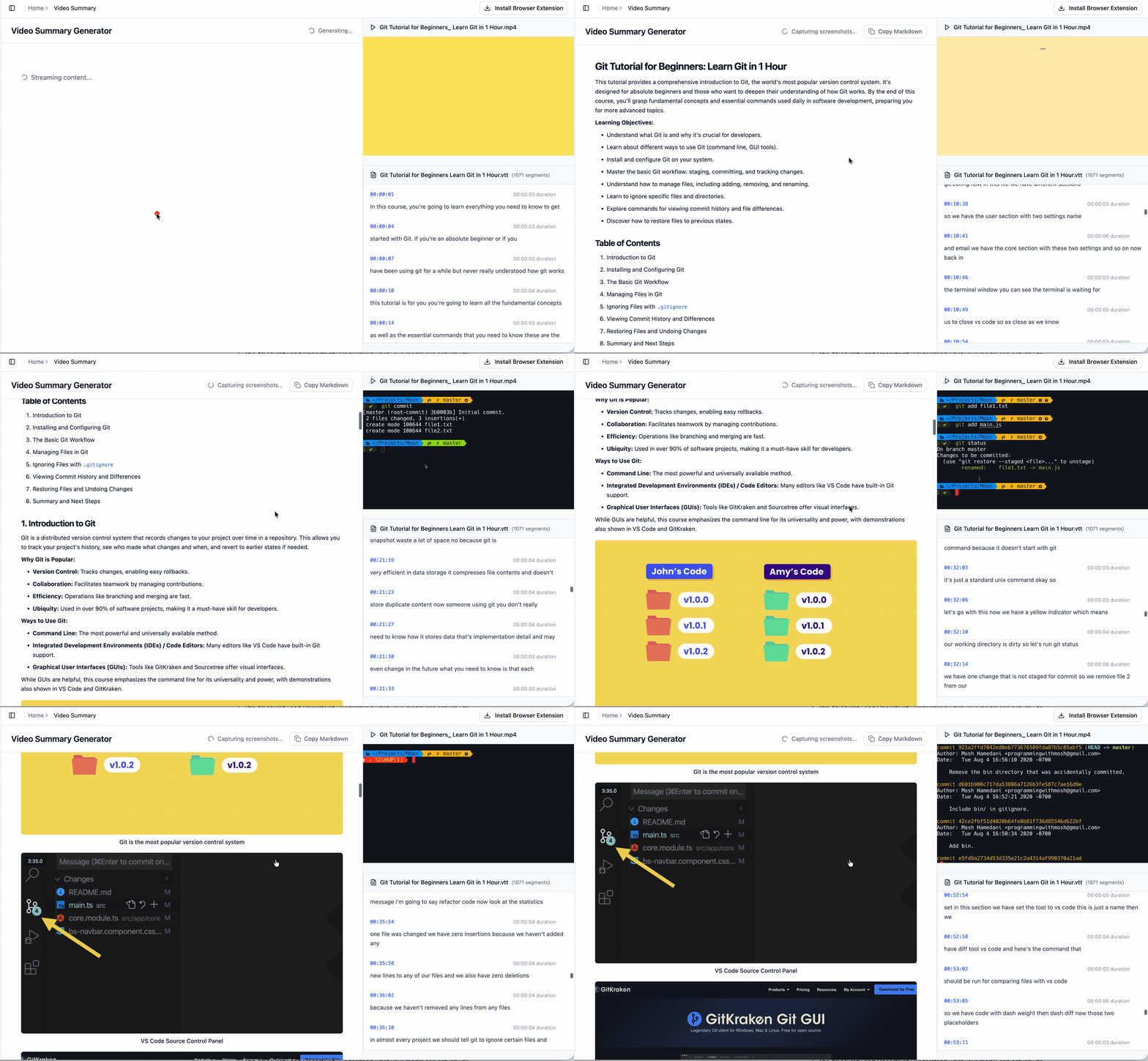
Things can go wrong:
-
text summaries might miss a point or oversimplify something;
-
screenshots might show the wrong frame or lose sync with the text.
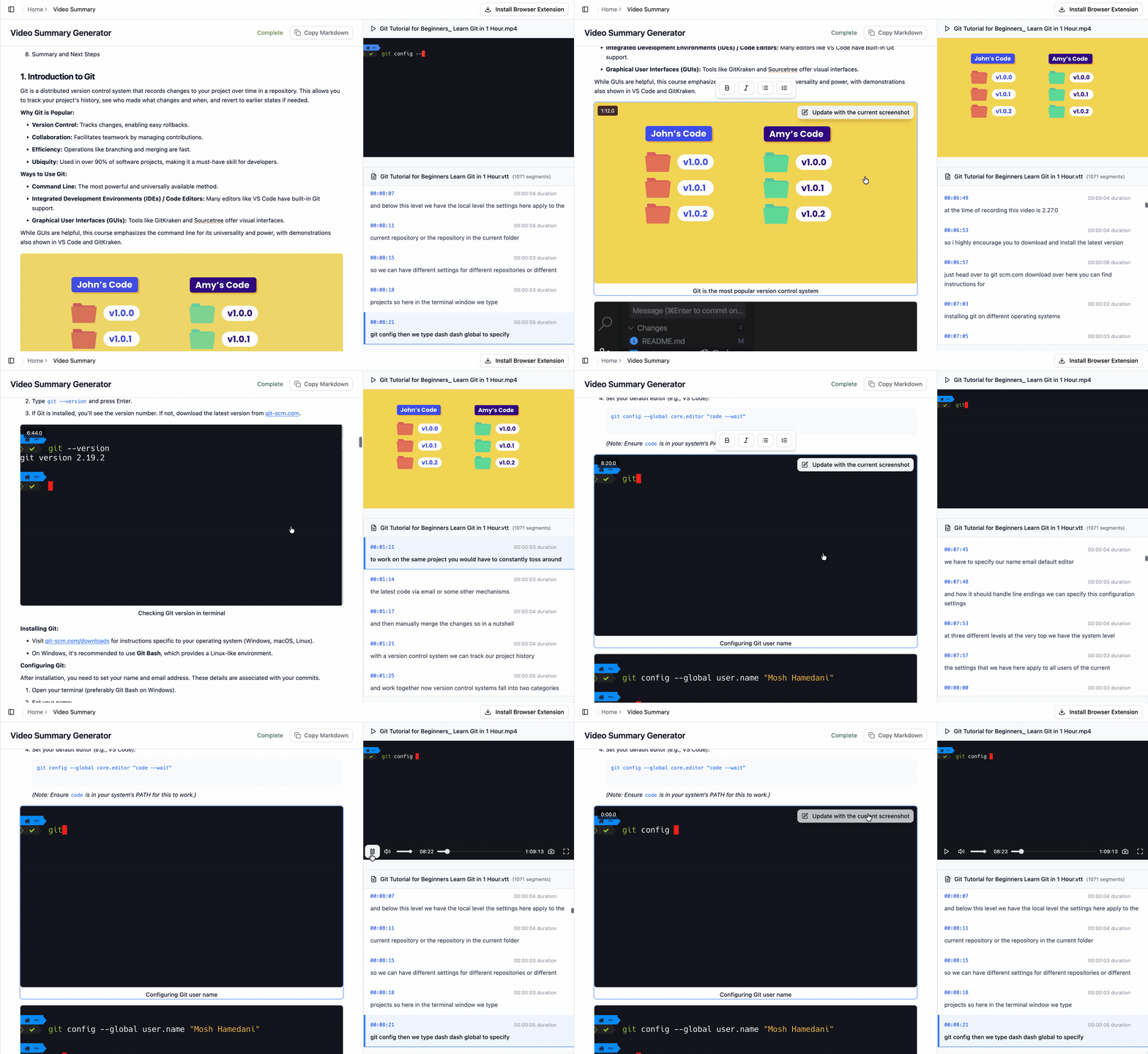
The design question becomes: How do we enable users to quickly review the document and make editing as natural as possible? The solution: users can scrub through the video, pick or swap screenshots, and fine‑tune visuals directly in the editor — no external tools, no friction.
It’s not about making AI perfect (of cuz, we should always optmize it); it’s about giving people the confidence that they can make it perfect themselves.
The Four Perspectives of Editability for Builders
When designing an AI system, I believe these four perspectives will define how much users will trust your product and how confidently they’ll use it.
-
The AI: Quality and Uncertainty Understand what your model can actually do. The model’s capability sets the boundary for user trust.
-
The User: Capability, Context, and Interaction Know who your users are and design the right balance of clarity and control for their skill level.
-
The Perfect State: Helping Users Define “Done” Don’t assume what “perfect” means. Let users define success, and tune the experience based on what’s at stake.
-
The Feedback Loop: Turning Uncertainty into Progress Every edit is feedback. Use it to make the system smarter, more predictable, and more aligned with users over time.
The AI: Quality and Uncertainty
Start with the basics: know what your model is good at and where it struggles. The quality of the model determines how much autonomy you can safely give users. Overestimate it and they’ll lose trust; underestimate it and they’ll never see its full value.
No model is perfect. Great builders acknowledge that by showing confidence levels, giving safe defaults. When uncertainty rises, editability becomes the safety net.
Take voice mode, for example. A few years ago, speech models were unreliable with accents, so I barely used dictation. Once accuracy crossed a certain threshold, I switched to using it almost every time. That moment of reliability changed how I used it entirely — capability drives trust.
Common Pitfall: Designing experiences without truly understanding the model’s limits. It’s the easiest way to disappoint users.
The User: Capability, Context, and Interaction
First, understand who your users are. What do they already know? How hands-on do they like to be? A developer might want fine-grained control on generated code, while a marketer might want a clean panel with a couple sliders for the generated images.
When designing interactions, We aim for clarity and flexibility. Show what the AI is doing, and make it easy to adjust. Inline edits, quick previews, simple re-runs, and short explanations give people confidence. They help users feel like they’re steering — not just watching.
For example, a prompt editor might surface advanced parameters for expert users, while offering simple text adjustments and presets for beginners. Too much complexity overwhelms. Too little flexibility pushes people to look elsewhere.
I’ve felt this myself all the time. When I tested a bunch of AI tools — everything from slide generators to code assistants — I kept bouncing off the ones that didn’t give me enough flexibility. Some tools were so locked-down that fixing small mistakes felt impossible. As someone who likes to stay fully in control, having just enough editability is what kept me engaged.
Common Pitfall: Assuming one interface fits everyone. Power users get frustrated when the tool is oversimplified. New users get lost when it’s too complex. The sweet spot lives in designing control that scales with the person holding it.
The Perfect State: Helping Users Define “Done”
“Perfect” doesn’t mean the same thing every time. Sometimes it’s objective — fixing data errors or factual mistakes. Other times, it’s subjective — adjusting tone, style, or visuals. The level of acceptable error changes depending on the situation.
Good tools make it easy to set that bar. For high-volume tasks, a few small mistakes might be fine if speed matters more. But for important outreach to a high-profile client, every detail needs attention. The system should adapt: more automation when stakes are low, and more review and control when stakes are high.
Common Pitfall: Treating every task as equally critical. Over-engineering for simple use cases or under-designing for high-stakes ones breaks trust either way.
The Feedback Loop: Turning Uncertainty into Progress
Every edit tells you something. It’s a clue about what the AI missed and what users actually meant. Smart builders don’t waste that signal — they use it.
Some feedback helps improve results right away; other insights inform personalization or model updates later. That’s how you turn a probabilistic system into one that feels predictable.
When users see their input shaping the outcome, they start to feel the system “gets” them. That sense of predictability builds confidence. Even if the AI itself isn’t deterministic, the experience should feel consistent and responsive.
Common Pitfall: Ignoring feedback or not showing users that it matters. The moment people feel unheard, they stop engaging.
Closing Reflection
At the end of the day, the goal is simple: make sure people always feel in control. Editability turns uncertainty into confidence and makes AI tools feel genuinely trustworthy.
No matter how advanced models get, uncertainty will always be part of the story. They’ll become faster, smarter, and more capable — but they’ll never be flawless.
That’s why editability will always matter. The good AI systems make people feel in control even when the result is not perfect. They encourage exploration while assuring users that they can guide or fix outcomes anytime.